Pragmatics
NOTE
This section is a work in progress. Contributions are welcome.
While Fedify provides vocabulary API, it does not inherently define how to utilize those vocabularies. ActivityPub implementations like Mastodon and Misskey already have de facto norms for how to use them, which you should follow to get the desired results.
For example, you need to know which properties on a Person object should be populated with which values to display an avatar or header image, which property represents a date joined, and so on.
In this section, we will explain the pragmatic aspects of using Fedify, such as how to utilize the vocabulary API and the de facto norms of ActivityPub implementations.
Actors
The following five types of actors represent entities that can perform activities in ActivityPub:
Applicationdescribes a software application.Grouprepresents a formal or informal collective of actors.Organizationrepresents an organization.Personrepresents an individual person.Servicerepresents a service of any kind.
The most common type of actor is Person, which represents an individual user. When you register an actor dispatcher, you should return an actor object of an appropriate type of the account.
Those five types of actors have the same set of properties, e.g., name, preferredUsername, summary, and published.
Application/Service: Automated/bot actors
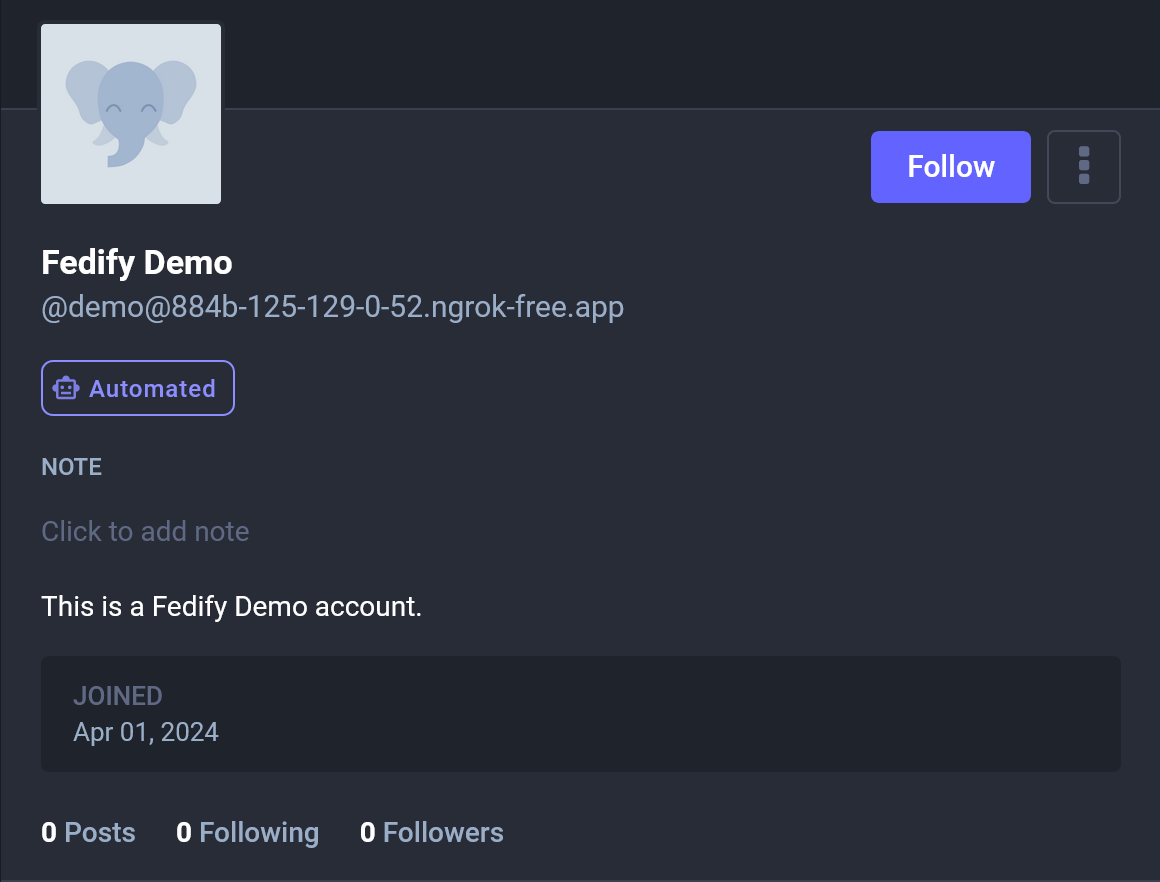
If an actor is represented as an Application or Service object, it is considered an automated actor by Mastodon and a bot actor by Misskey.
new Application({
  name: "Fedify Demo",
  preferredUsername: "demo",
  summary: "This is a Fedify Demo account",
  // Other properties...
})
For example, the above actor object is displayed as an automated actor in Mastodon like the following:
Group
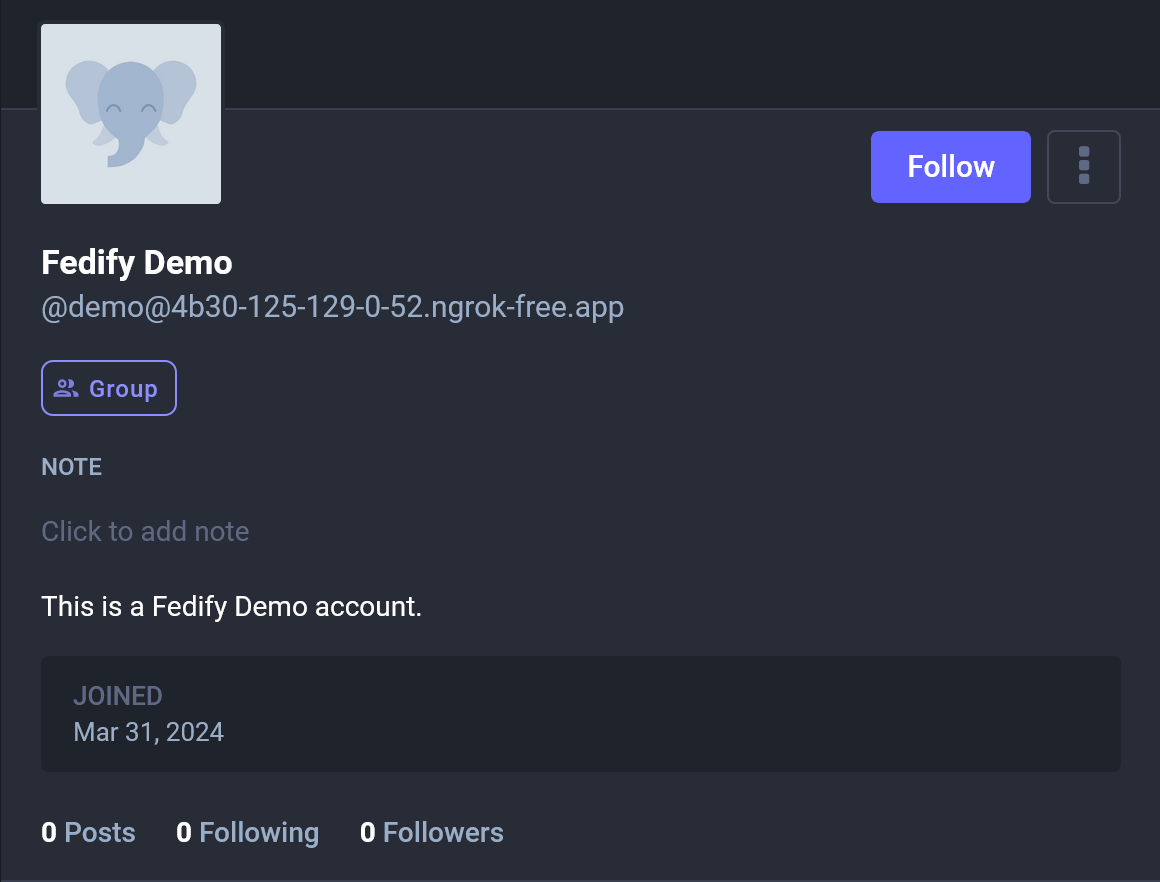
If an actor is represented as a Group object, it is considered a group actor by Mastodon.
new Group({
  name: "Fedify Demo",
  preferredUsername: "demo",
  summary: "This is a Fedify Demo account",
  // Other properties...
})
For example, the above actor object is displayed as a group actor in Mastodon like the following:
name: Display name
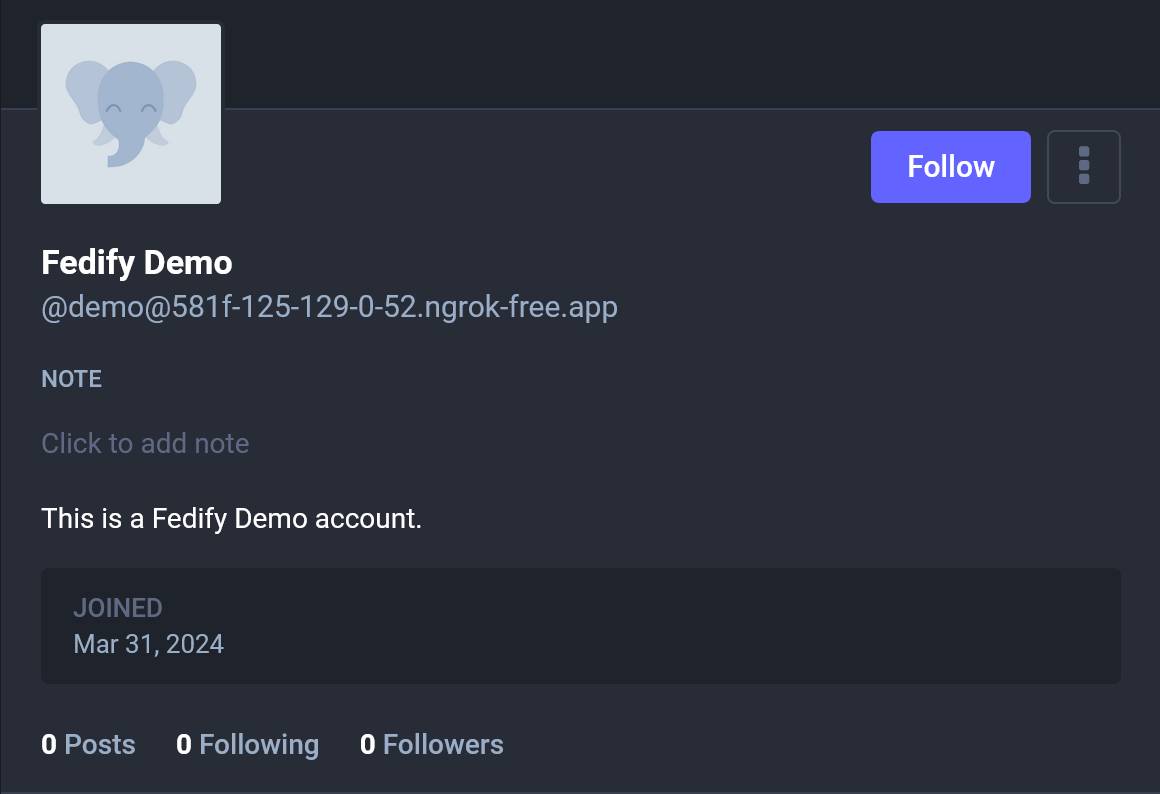
The name property is used as a display name in Mastodon and the most ActivityPub implementations. The display name is usually a full name or a nickname of a person, or a title of a group or an organization. It is displayed in the profile page of an actor and the timeline.
new Person({
  name: "Fedify Demo",
  preferredUsername: "demo",
  summary: "This is a Fedify Demo account",
  // Other properties...
})
For example, the above actor object is displayed like the following in Mastodon:
summary: Bio
The summary property is used as a bio in Mastodon and the most ActivityPub implementations. The bio is displayed in the profile page of the actor.
NOTE
The summary property expects an HTML string, so you should escape HTML entities if it contains characters like <, >, and &.
new Person({
  name: "Fedify Demo",
  preferredUsername: "demo",
  summary: "This is a Fedify Demo account",
  // Other properties...
})
For example, the above actor object is displayed like the following in Mastodon:
published: Date joined
The published property is used as a date joined in Mastodon and Misskey. The date joined is displayed in the profile page of the actor.
NOTE
Although the published property contains a date and time, it is displayed as a date only in Mastodon and Misskey. However, there may be ActivityPub implementations that display the date and time.
new Person({
  name: "Fedify Demo",
  preferredUsername: "demo",
  summary: "This is a Fedify Demo account",
  published: Temporal.Instant.from("2024-03-31T00:00:00Z"),
  // Other properties...
})
For example, the above actor object is displayed like the following in Mastodon:
icon: Avatar image
The icon property is used as an avatar image in Mastodon and the most ActivityPub implementations. The avatar image is displayed next to the name of the actor in the profile page and the timeline.
new Person({
  name: "Fedify Demo",
  preferredUsername: "demo",
  summary: "This is a Fedify Demo account",
  icon: new Image({
    url: new URL("https://i.imgur.com/CUBXuVX.jpeg"),
    mediaType: "image/jpeg",
  }),
  // Other properties...
})
For example, the above actor object is displayed like the following in Mastodon:
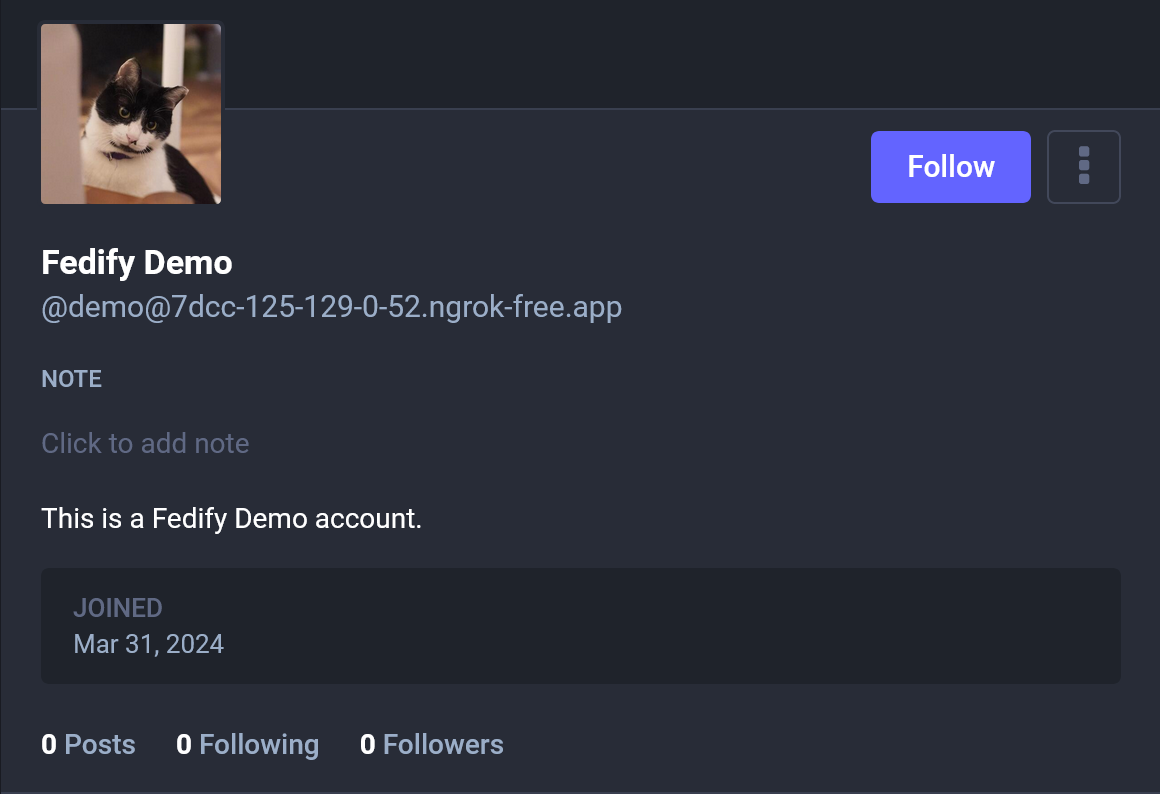
image: Header image
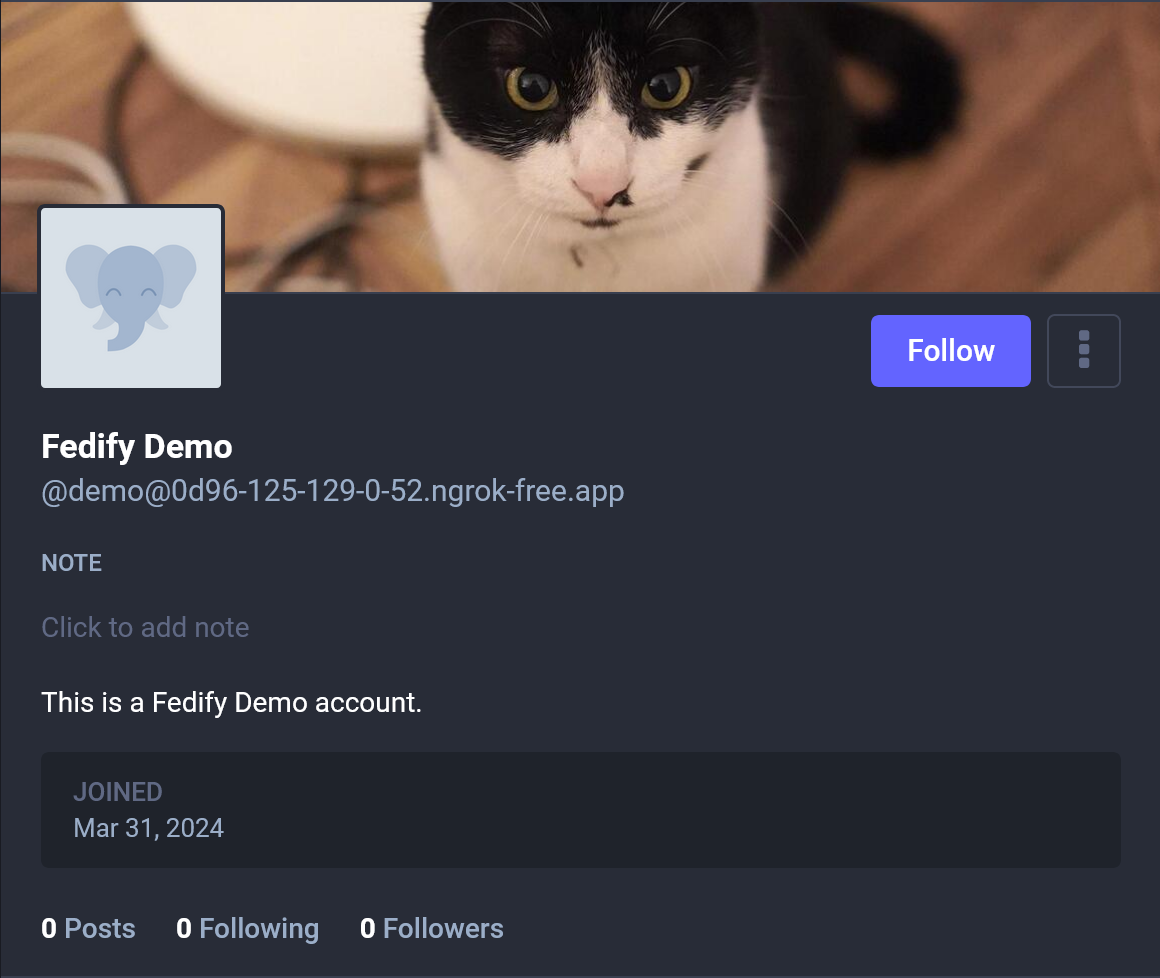
The image property is used as a header image in Mastodon and Misskey. The header image is displayed on the top of the profile page.
new Person({
  name: "Fedify Demo",
  preferredUsername: "demo",
  summary: "This is a Fedify Demo account",
  image: new Image({
    url: new URL("https://i.imgur.com/yEZ0EEw.jpeg"),
    mediaType: "image/jpeg",
  }),
  // Other properties...
})
For example, the above actor object is displayed like the following in Mastodon:
attachments: Custom fields
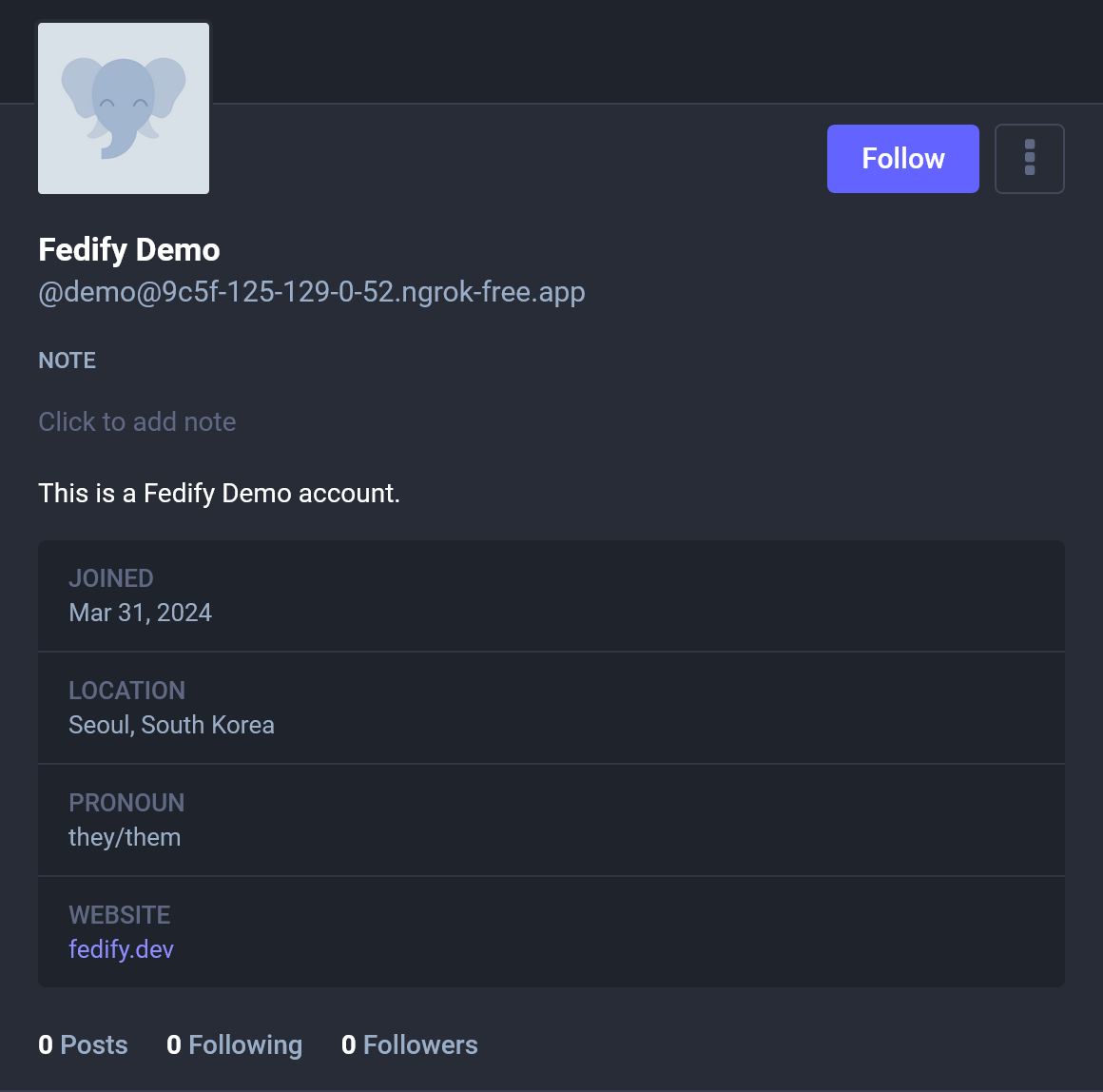
The attachments property is used as custom fields in Mastodon and Misskey. The custom fields are displayed as a table in the profile page.
new Person({
  name: "Fedify Demo",
  preferredUsername: "demo",
  summary: "This is a Fedify Demo account",
  attachments: [
    new PropertyValue({
      name: "Location",
      value: "Seoul, South Korea",
    }),
    new PropertyValue({
      name: "Pronoun",
      value: "they/them",
    }),
    new PropertyValue({
      name: "Website",
      value: '<a href="https://fedify.dev/">fedify.dev</a>'
    }),
  ],
  // Other properties...
})
NOTE
The PropertyValue.value property expects an HTML string, so you should escape HTML entities if it contains characters like <, >, and &.
For example, the above actor object is displayed like the following in Mastodon:
manuallyApprovesFollowers: Lock account
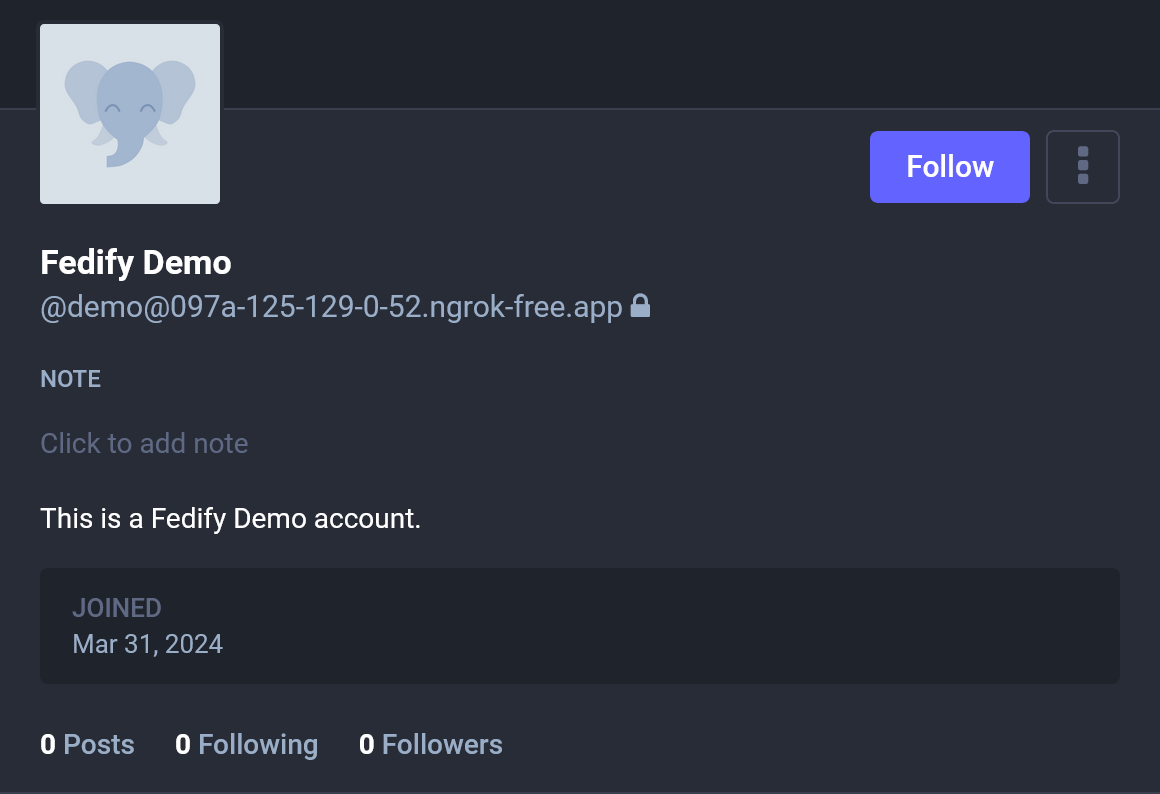
The manuallyApprovesFollowers property is used to indicate that the actor manually approves followers. In Mastodon and Misskey, the actor is displayed as a locked account if the manuallyApprovesFollowers property is true.
WARNING
The manuallyApprovesFollowers property only indicates that the actor manually approves followers. The actual behavior of the actor is determined by the inbox listener for Follow activities. If it automatically sends Accept activities right after receiving Follow, the actor behaves as an unlocked account. If it sends Accept when the owner explicitly clicks the Accept button, the actor behaves as a locked account.
new Person({
  name: "Fedify Demo",
  preferredUsername: "demo",
  summary: "This is a Fedify Demo account",
  manuallyApprovesFollowers: true,
  // Other properties...
})
For example, the above actor object is displayed like the following in Mastodon:
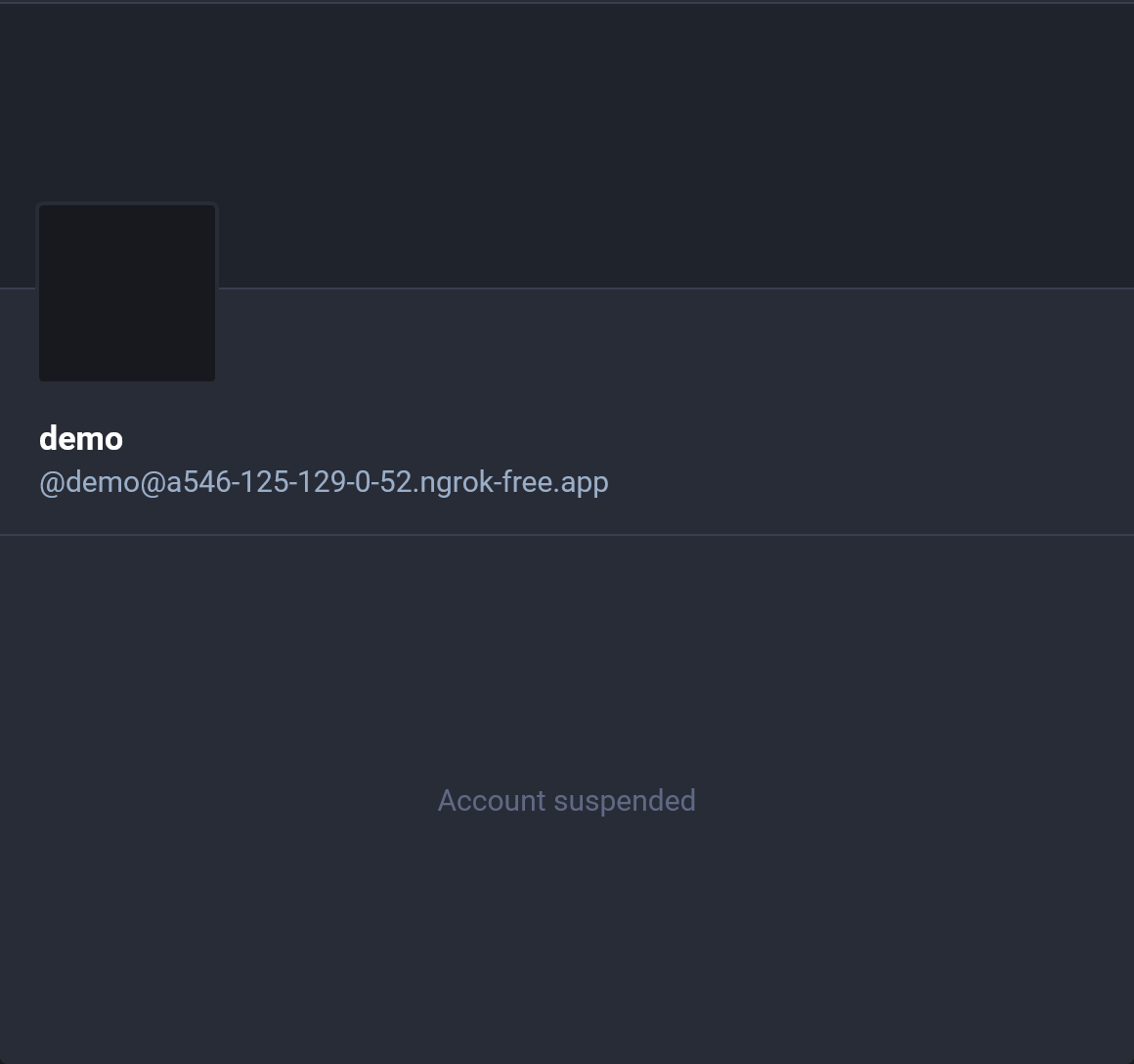
suspended
The suspended property is used to suspend an actor in Mastodon. If the suspended property is true, the profile page of the actor is displayed as suspended.
new Person({
  name: "Fedify Demo",
  preferredUsername: "demo",
  summary: "This is a Fedify Demo account",
  suspended: true,
  // Other properties...
})
For example, the above actor object is displayed like the following in Mastodon:
memorial
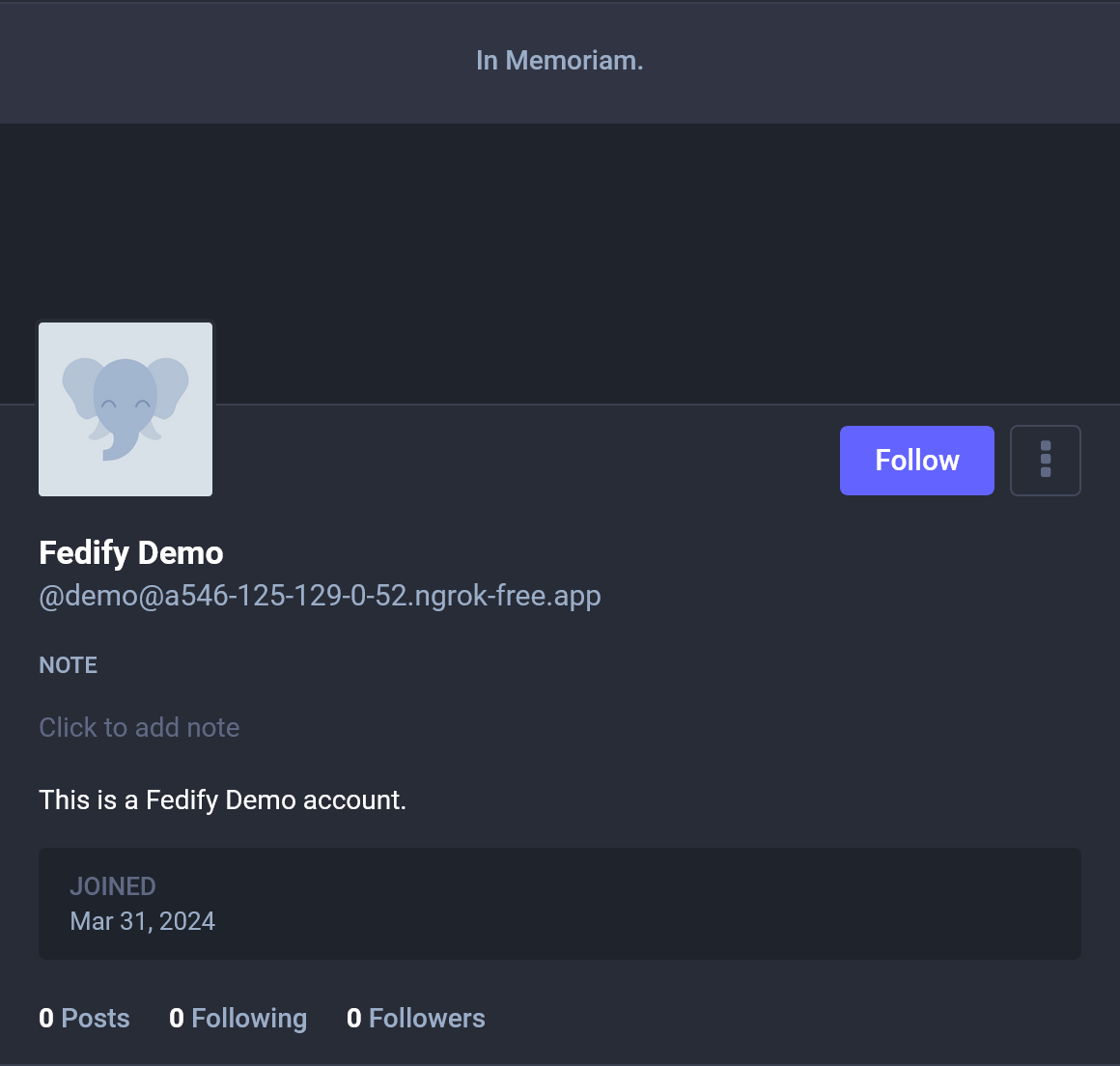
The memorial property is used to memorialize an actor in Mastodon. If the memorial property is true, the profile page of the actor is displayed as memorialized.
new Person({
  name: "Fedify Demo",
  preferredUsername: "demo",
  summary: "This is a Fedify Demo account",
  memorial: true,
  // Other properties...
})
For example, the above actor object is displayed like the following in Mastodon:
setFollowingDispatcher(): Following collection
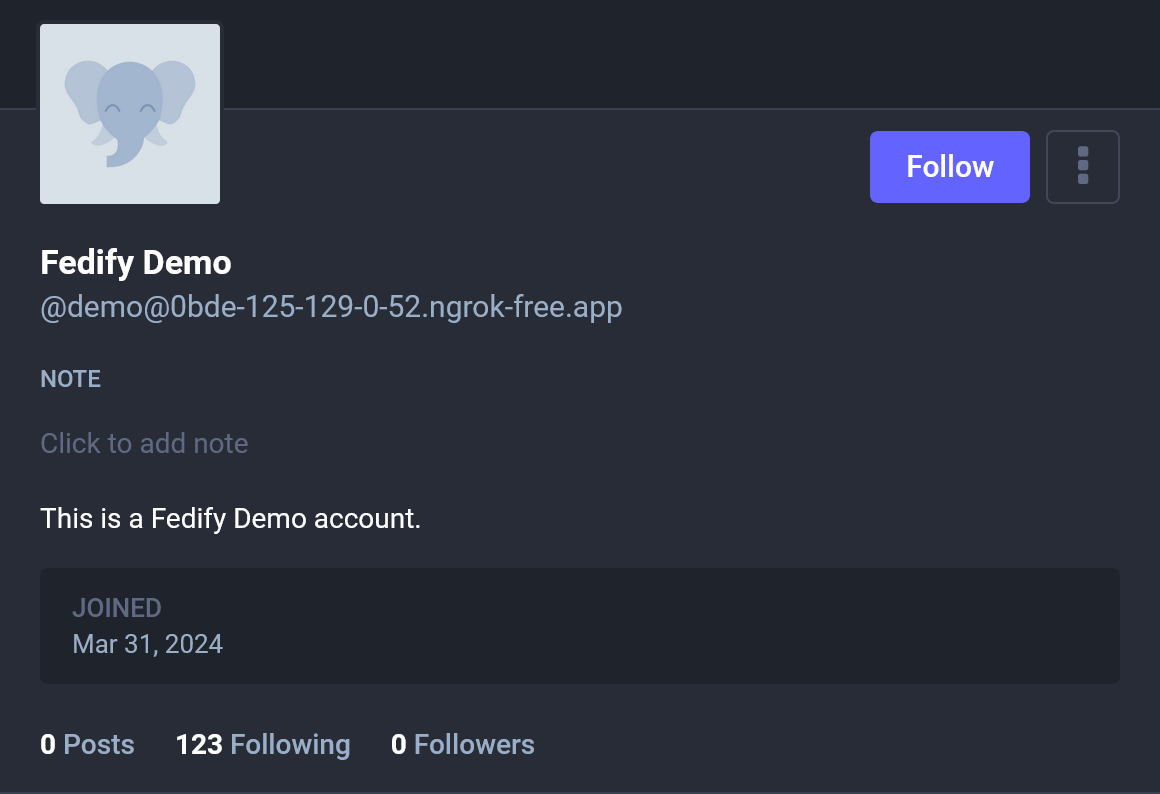
The setFollowingDispatcher() method registers a dispatcher for the collection of actors that the actor follows. The number of the collection is displayed in the profile page of the actor. Each item in the collection is a URI of the actor that the actor follows, or an actor object itself.
federation
  .setFollowingDispatcher(
    "/users/{identifier}/following", async (ctx, identifier, cursor) => {
      // Loads the list of actors that the actor follows...
      return {
        items: [
          new URL("..."),
          new URL("..."),
          // ...
        ]
      };
    }
  )
  .setCounter((ctx, identifier) => 123);
For example, the above following collection is displayed like the below in Mastodon:
NOTE
Mastodon does not display the following collection of a remote actor, but other ActivityPub implementations may display it.
setFollowersDispatcher(): Followers collection
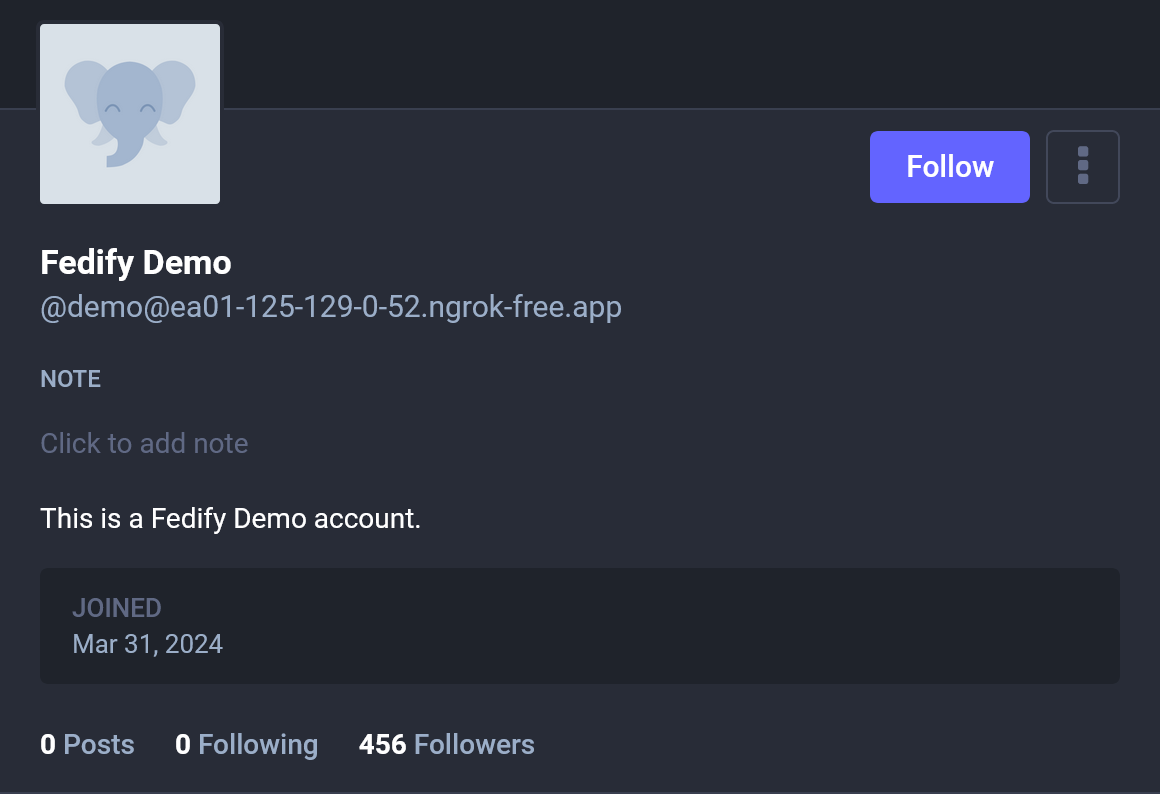
The setFollowersDispatcher() method registers a dispatcher for the collection of actors that follow the actor. The number of the collection is displayed in the profile page of the actor. Each item in the collection is a Recipient or an Actor that follows the actor.
federation
  .setFollowersDispatcher(
    "/users/{identifier}/followers", async (ctx, identifier, cursor) => {
      // Loads the list of actors that follow the actor...
      return {
        items: [
          {
            id: new URL("..."),
            inboxId: new URL("..."),
          } satisfies Recipient,
          // ...
        ]
      };
    }
  )
  .setCounter((ctx, identifier) => 456);
For example, the above followers collection is displayed like the below in Mastodon:
NOTE
Mastodon does not display the followers collection of a remote actor, but other ActivityPub implementations may display it.
Objects
The following types of objects are commonly used to represent posts and other public-facing content in the fediverse:
Articlerepresents a multi-paragraph written work.Noteis a short post.Questionis a poll.
Link-like objects such as Mention, Hashtag, and Emoji are usually attached to these objects through their tags property. The exact way ActivityPub implementations render these objects differs, but Mastodon and Misskey already share a number of de facto conventions.
Note: Short posts
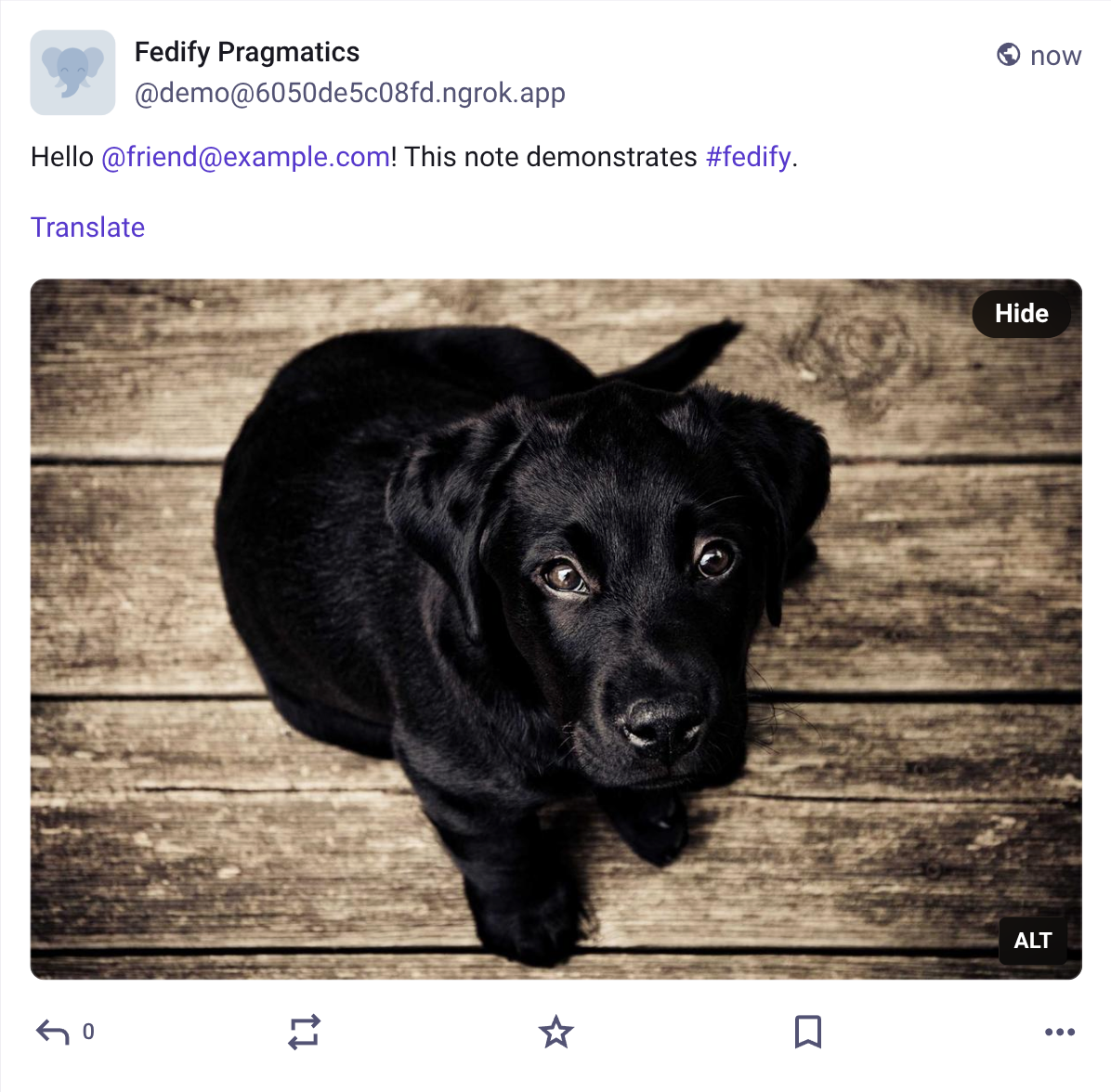
The Note type is the most common object type for short posts. In Mastodon, the content property becomes the post body, and attachments are rendered below the body.
new Note({
  content:
    '<p>Hello <a class="mention u-url" href="https://example.com/users/friend">' +
    '@friend@example.com</a>! This note demonstrates ' +
    '<a class="mention hashtag" rel="tag" ' +
    'href="https://example.com/tags/fedify">#fedify</a>.</p>',
  attachments: [
    new Image({
      url: new URL("https://picsum.photos/id/237/1200/800"),
      mediaType: "image/jpeg",
      name: "A placeholder dog photo",
    }),
  ],
  tags: [
    new Mention({
      href: new URL("https://example.com/users/friend"),
      name: "@friend@example.com",
    }),
    new Hashtag({
      href: new URL("https://example.com/tags/fedify"),
      name: "#fedify",
    }),
  ],
})
NOTE
The content property expects an HTML string. If it contains characters like <, >, and &, you should escape HTML entities.
For example, the above Note object is displayed like the following in Mastodon:
summary: Content warnings
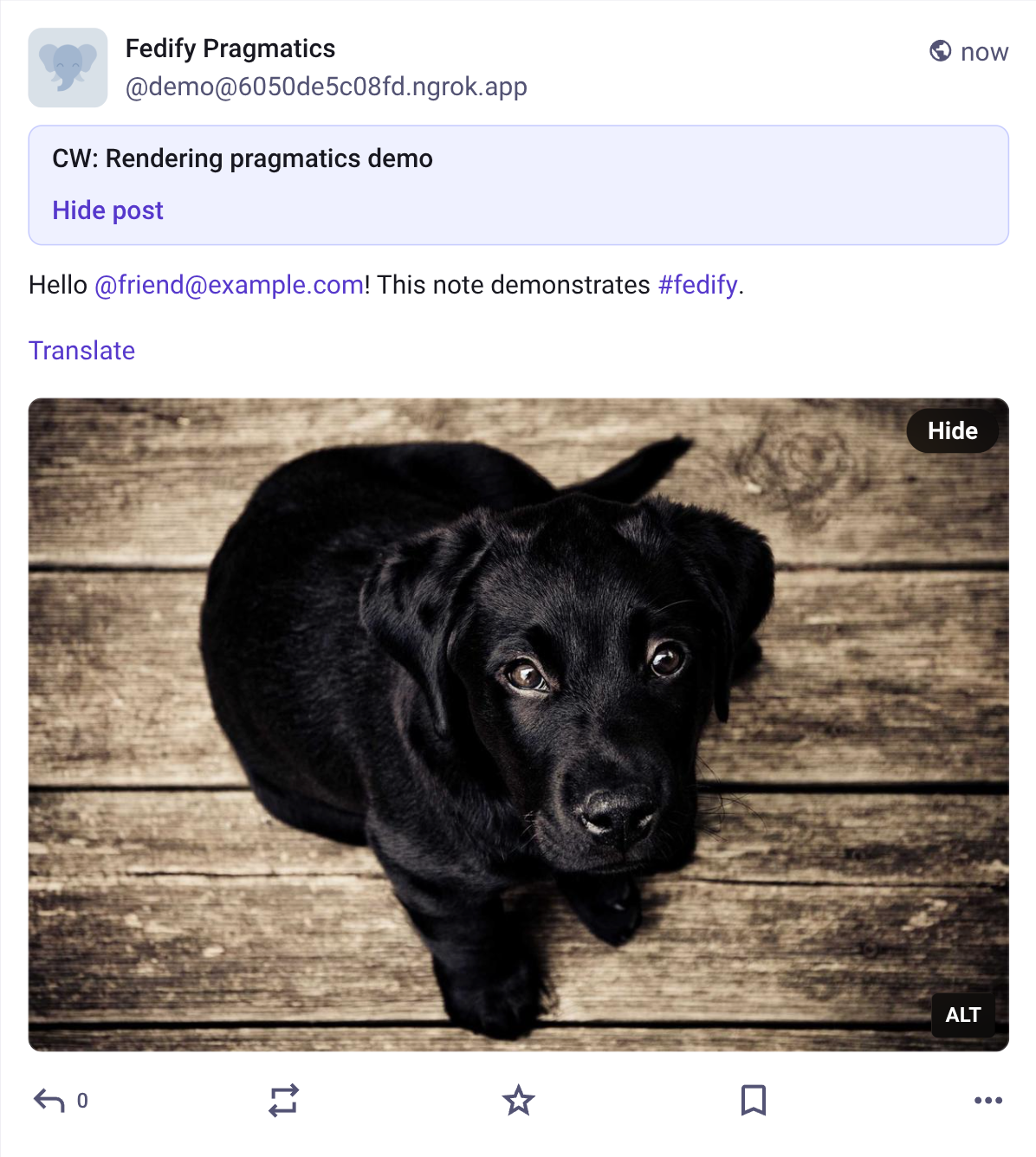
On Note objects, the summary property is commonly used as a content warning. In Mastodon, it becomes the warning text shown above the collapsed post body.
new Note({
  summary: "CW: Rendering pragmatics demo",
  content: "<p>Hello @friend@example.com! This note demonstrates #fedify.</p>",
})
NOTE
The summary property also expects an HTML string.
For example, the above summary is displayed like the following in Mastodon:
Article: Long-form posts
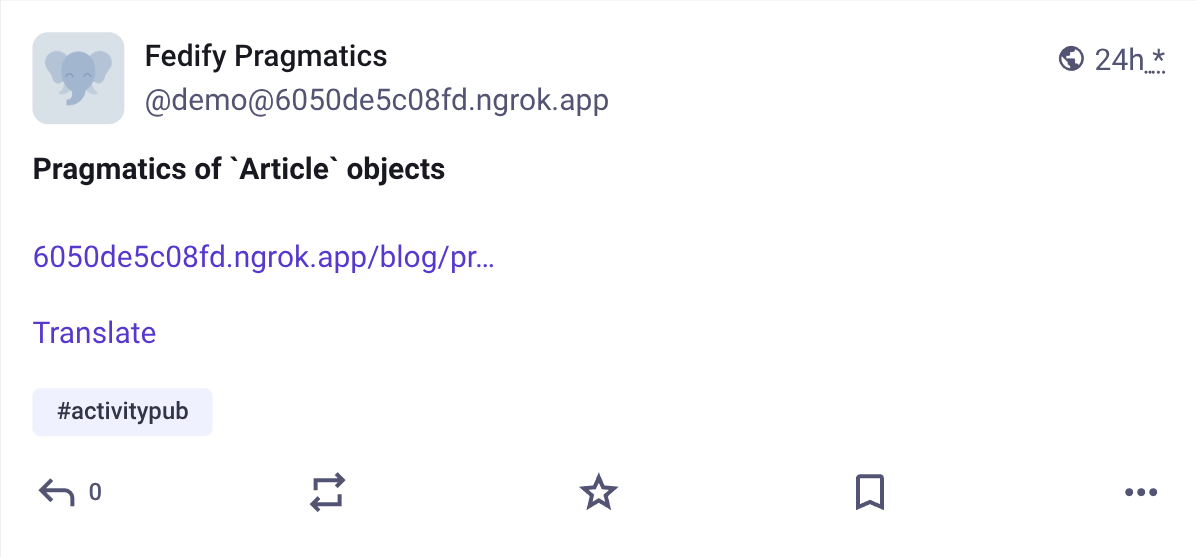
The Article type is commonly used for long-form posts such as blog entries. In Mastodon, the name property is displayed as the title, the url property is shown as the canonical link, and tags can still surface hashtags below the post body.
new Article({
  name: "Pragmatics of `Article` objects",
  url: new URL("https://example.com/blog/pragmatics-article"),
  content:
    "<p>This article demonstrates how a long-form object can expose a title " +
    "and a canonical permalink.</p>",
  tags: [
    new Hashtag({
      href: new URL("https://example.com/tags/activitypub"),
      name: "#activitypub",
    }),
  ],
})
NOTE
Many ActivityPub implementations render Article objects more compactly than Note objects. If you want a title-like presentation, populate the name property instead of relying on the body alone.
For example, the above Article object is displayed like the following in Mastodon:
Question: Polls
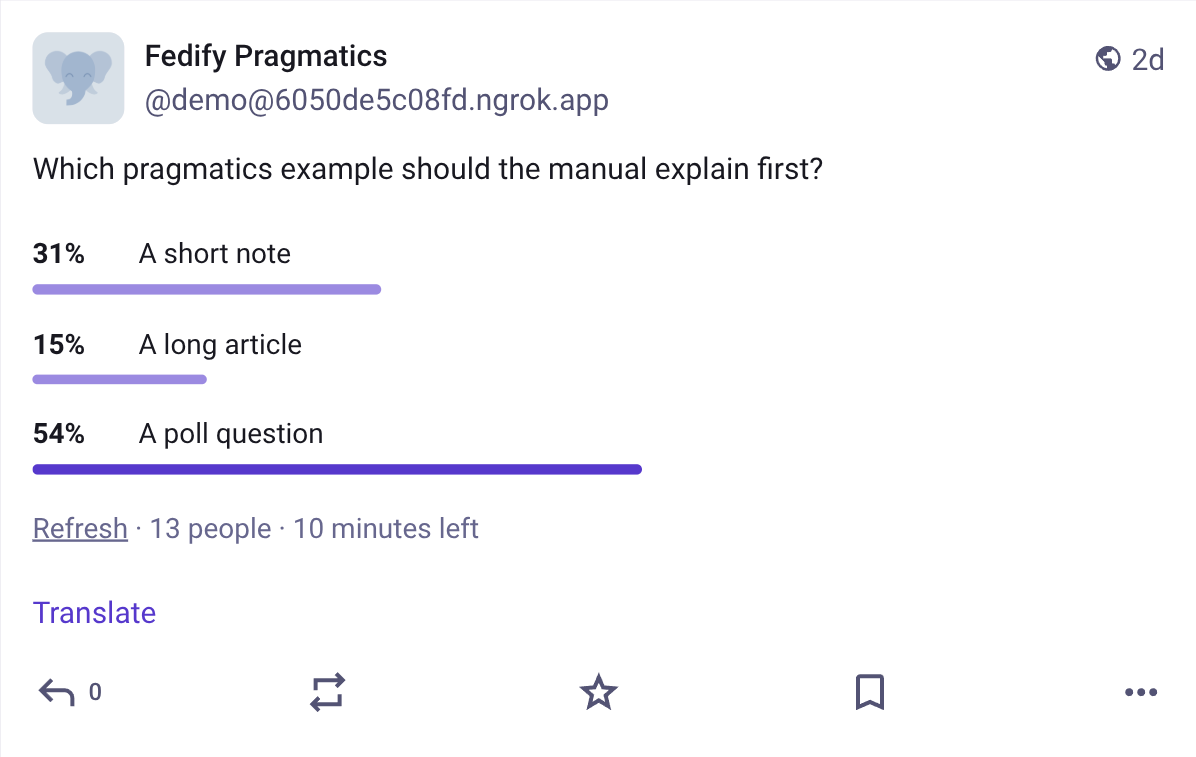
The Question type is used for polls. In Mastodon, the question body comes from content, the poll choices come from exclusiveOptions or inclusiveOptions, and metadata such as voters and closed are displayed below the choices.
exclusiveOptions: Single-choice polls
new Question({
  content: "<p>Which pragmatics example should the manual explain first?</p>",
  exclusiveOptions: [
    new Note({ name: "A short note", replies: new Collection({ totalItems: 4 }) }),
    new Note({ name: "A long article", replies: new Collection({ totalItems: 2 }) }),
    new Note({
      name: "A poll question",
      replies: new Collection({ totalItems: 7 }),
    }),
  ],
  voters: 13,
  closed: Temporal.Instant.from("2026-04-28T12:00:00Z"),
})
NOTE
Use exclusiveOptions for single-choice polls. A Question object should not contain both exclusiveOptions and inclusiveOptions.
When Mastodon shows poll results, each option's replies.totalItems value is used as that option's vote count. In the above example, the values 4, 2, and 7 add up to 13, which matches voters and yields the percentages shown in the results view.
For example, the above Question object is displayed like the following in Mastodon after opening the results view:
inclusiveOptions: Multiple-choice polls
Use inclusiveOptions for polls where a voter may choose more than one option.
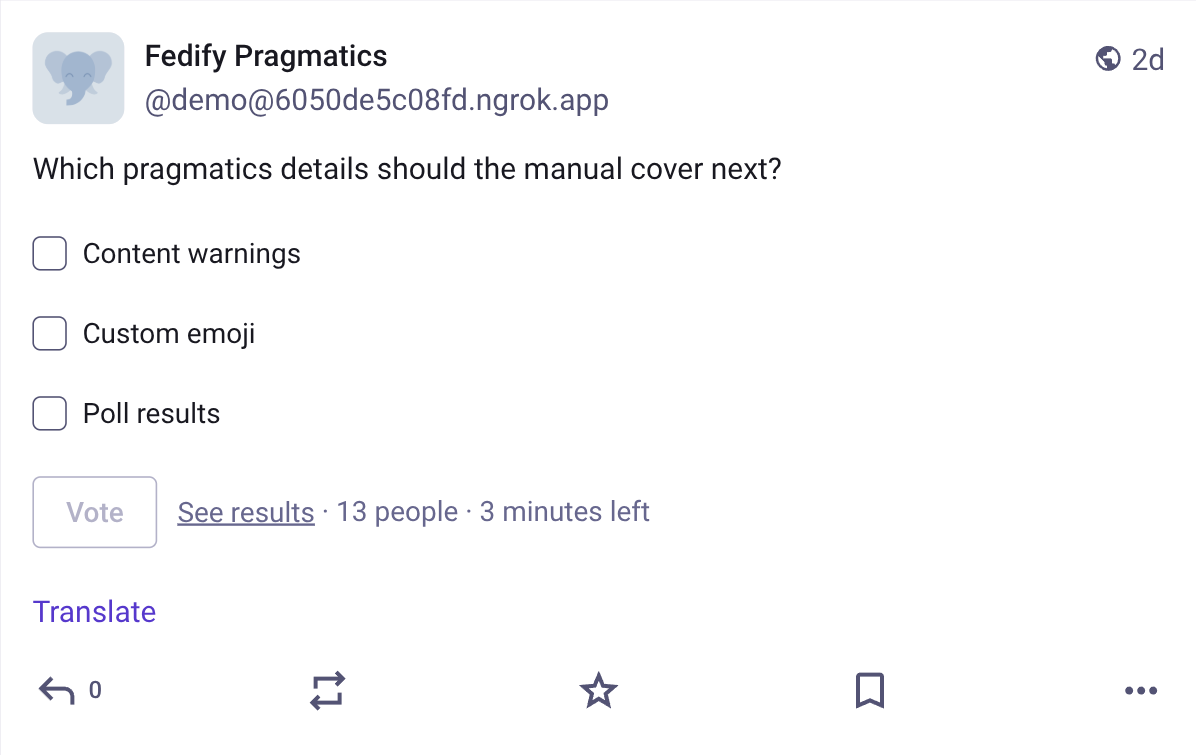
new Question({
  content: "<p>Which pragmatics details should the manual cover next?</p>",
  inclusiveOptions: [
    new Note({
      name: "Content warnings",
      replies: new Collection({ totalItems: 6 }),
    }),
    new Note({
      name: "Custom emoji",
      replies: new Collection({ totalItems: 8 }),
    }),
    new Note({
      name: "Poll results",
      replies: new Collection({ totalItems: 3 }),
    }),
  ],
  voters: 13,
  closed: Temporal.Instant.from("2026-04-20T12:00:00Z"),
})
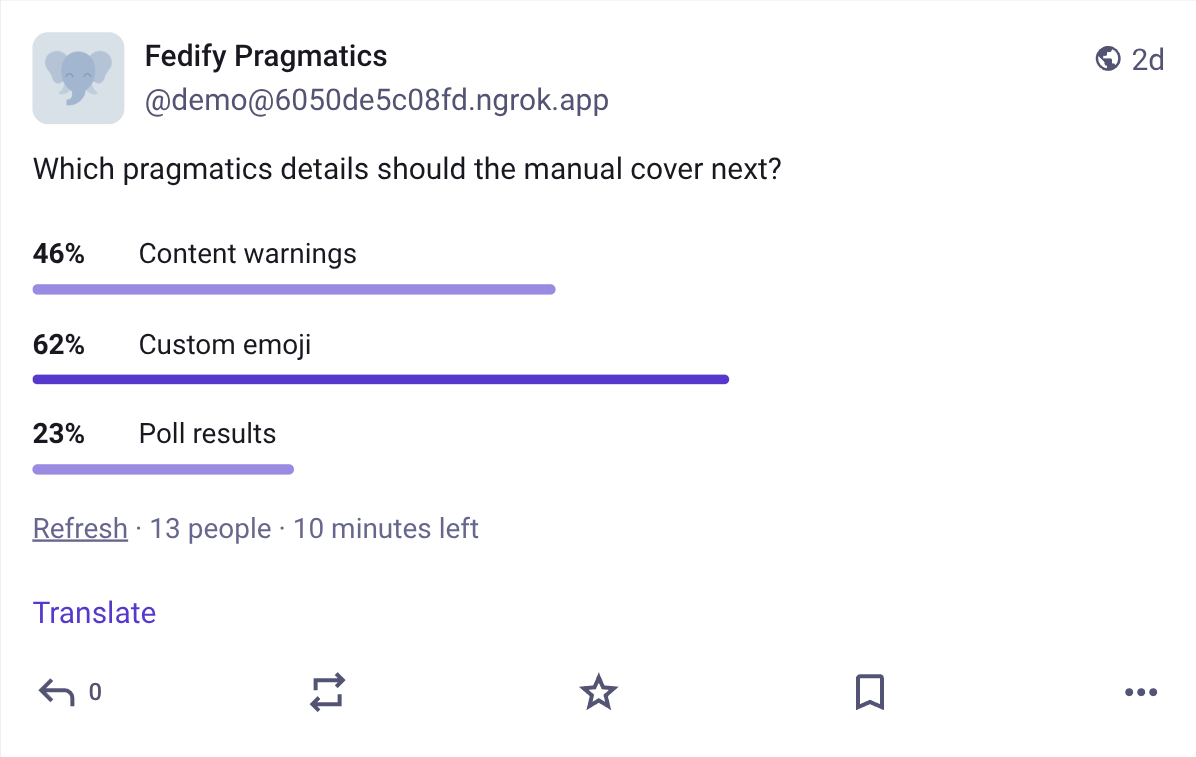
In Mastodon, the replies.totalItems values on inclusiveOptions still become the per-option counts in the results view, but unlike a single-choice poll they do not need to add up to voters, because each voter may select more than one option.
For example, the above multiple-choice Question object is initially displayed like the following in Mastodon:
After opening the results view, Mastodon shows the per-option counts derived from replies.totalItems:
Mention: Mentioned accounts
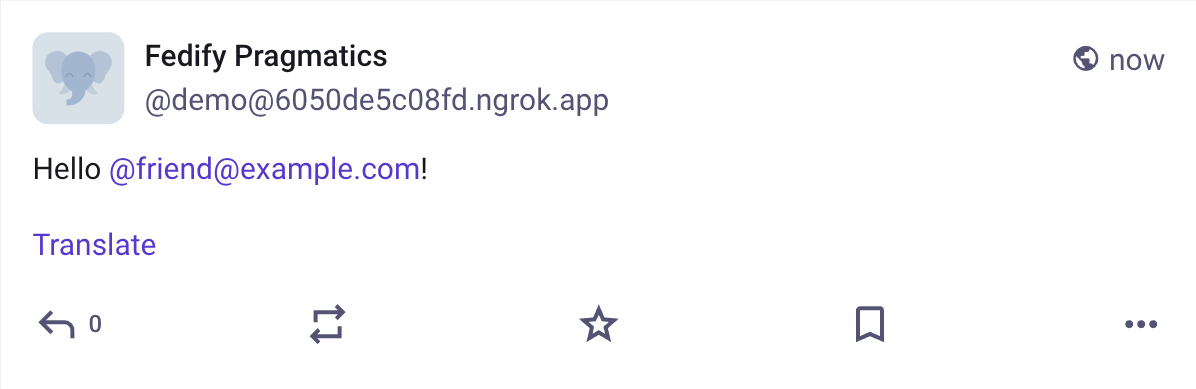
The Mention type is usually placed in an object's tags property to indicate that a link in content points to another actor. In Mastodon, this makes the linked handle render as a mention of the remote account.
new Note({
  content:
    '<p>Hello <a class="mention u-url" href="https://example.com/users/friend">' +
    '@friend@example.com</a>!</p>',
  tags: [
    new Mention({
      href: new URL("https://example.com/users/friend"),
      name: "@friend@example.com",
    }),
  ],
})
NOTE
In practice, you should keep the anchor in content and the Mention object in tags aligned with each other. If they point to different actors, ActivityPub implementations may render or notify inconsistently. For Mastodon-compatible mention rendering, the anchor in content should use class="mention u-url" so the link is treated as a mention instead of a generic profile URL.
For example, the above Mention object is displayed like the following in Mastodon:
Hashtag: Clickable hashtags
The Hashtag type is also commonly placed in tags. In Mastodon, it turns a matching hashtag in content into a clickable tag link.
new Note({
  content:
    '<p>This note demonstrates <a class="mention hashtag" rel="tag" ' +
    'href="https://example.com/tags/fedify">' +
    '#fedify</a>.</p>',
  tags: [
    new Hashtag({
      href: new URL("https://example.com/tags/fedify"),
      name: "#fedify",
    }),
  ],
})
NOTE
For Mastodon-compatible hashtag rendering, the anchor in content should use class="mention hashtag" and rel="tag". Without those attributes, Mastodon is more likely to treat it as a plain link instead of a hashtag.
For example, the above Hashtag object is displayed like the following in Mastodon:
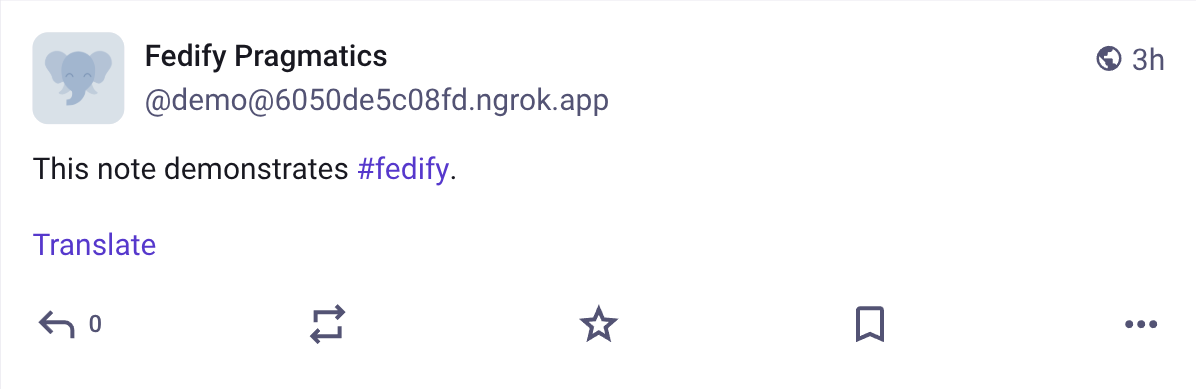
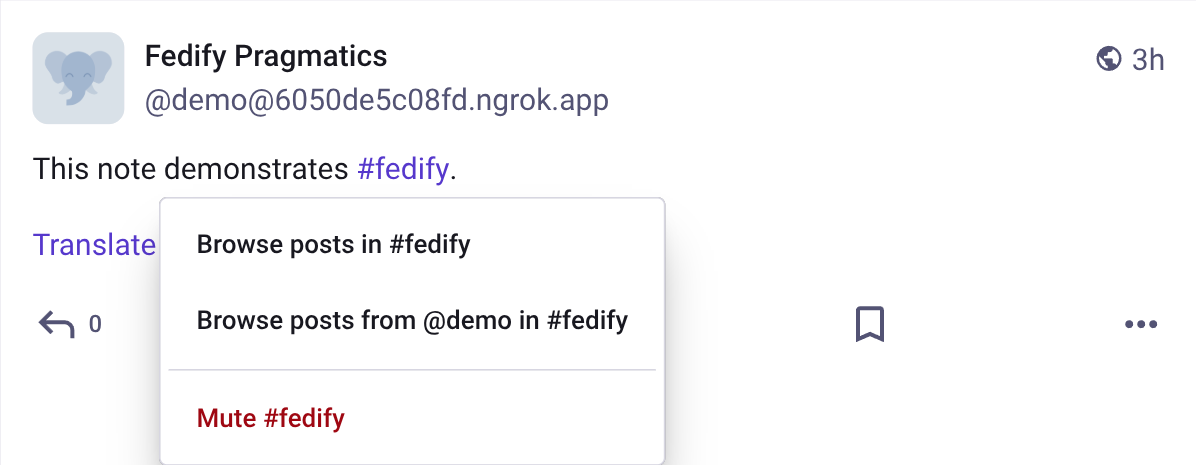
If you click the hashtag in Mastodon, it opens a hashtag-specific menu instead of behaving like a plain external link:
Emoji: Custom emoji
The Emoji type represents a custom emoji. In Mastodon, the shortcode in content is replaced with the image from icon when a matching Emoji object is present in tags.
new Note({
  content: "<p>Let us celebrate with :fedify_party:.</p>",
  tags: [
    new Emoji({
      name: ":fedify_party:",
      icon: new Image({
        url: new URL("https://example.com/emojis/fedify-party.png"),
        mediaType: "image/png",
      }),
    }),
  ],
})
NOTE
The shortcode in content should match Emoji.name exactly, usually in the :shortcode: form. If there is no matching Emoji object in tags, the shortcode is displayed as plain text.
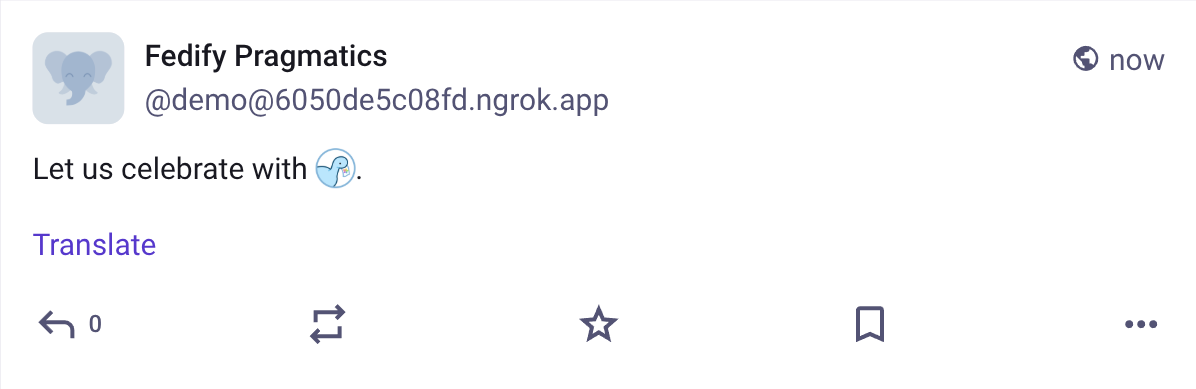
For example, the above Emoji object is displayed like the following in Mastodon: